Content
Genesys

Genesys is a global cloud platform that helps businesses deliver AI-powered customer experiences across voice, chat, and digital channels.
Role
Visual Design User Experience (UX) Design Visual Storytelling Communication Design Illustration
Tools
Figma Adobe Illustrator Adobe Photoshop Powerpoint
Designing Clarity Through Systems, Storytelling, and Visual Communication
Genesys builds complex cloud technology that helps organizations create better customer experiences. My role was to help make that complexity easier to understand through thoughtful digital experiences, visual systems, and learning frameworks.
Across experience design, visual communication, and content ecosystems, I work with subject matter experts and stakeholders to translate complex ideas into experiences that are clear, accessible, and scalable.

Quick Learnings
Quick Learnings introduced a new approach to education at Genesys: short, interactive, video-based learning experiences designed around engagement rather than passive consumption.
The challenge was not simply creating shorter content. It was designing a system that helped users absorb complex concepts quickly while maintaining flexibility across different topics, roles, and learning paths.
I designed the visual system and interaction patterns behind the experience, creating branching interactions, visual storytelling moments, and reusable frameworks that supported a consistent learning experience.


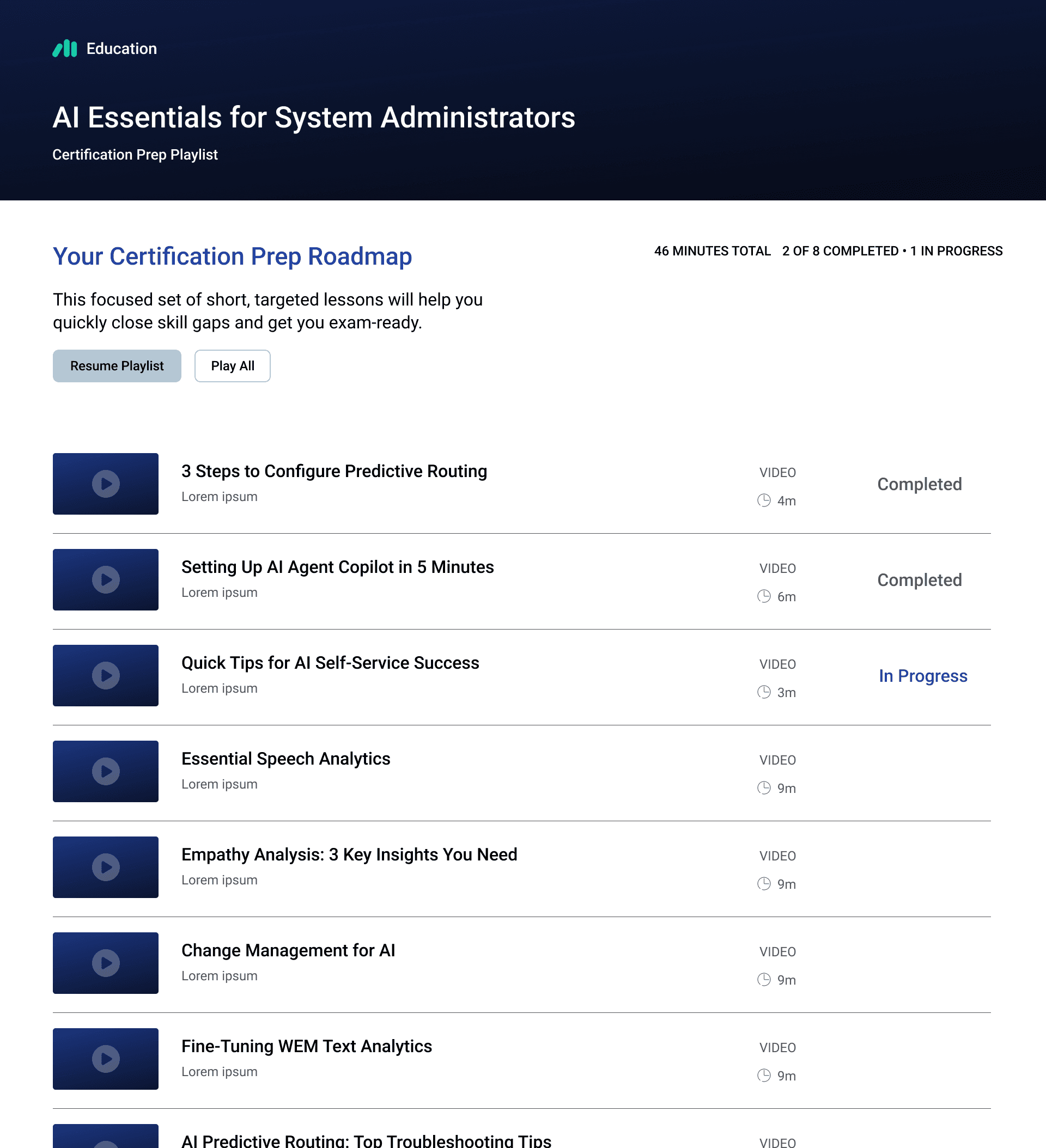
Playlist View
The playlist view shows how individual microlearning courses are organized into larger collections, giving learners a simple way to browse related content and track progress.
Creating a Scalable Visual Language
Much of Genesys' technology involves complex workflows, systems, and processes. The challenge was creating a consistent approach for translating those concepts into visuals that improved understanding without losing the meaning behind them.
I developed a range of infographics, illustrations, and visual frameworks that established repeatable patterns for communicating complex information across Genesys Education content. Each asset was designed to support clarity, accessibility, and a cohesive learning experience.


Genesys Learning Experience Redesign
As the Genesys Cloud learning ecosystem grew, the existing experience needed to evolve beyond a traditional content library.
The opportunity was to rethink discovery around the needs of different users: what role they were in, what they were trying to accomplish, and what knowledge they needed next.
Using Jobs-To-Be-Done principles, the project introduced role-based learning paths while maintaining existing search and topic-based discovery options.
As lead designer, I guided the UX and visual design from early concept exploration through final implementation.

The Challenge
The experience needed to balance a new learning model with established user behaviors while working within the constraints of the Docebo LMS platform.
Key considerations included:
Creating role-based learning paths
Supporting certifications and skill development
Improving content discovery
Introducing a searchable video library
Establishing a scalable framework for future growth
Early Exploration
Before moving into production, I created early concepts to help stakeholders visualize how a role-based learning experience could work across the ecosystem.
These explorations became a tool for alignment, helping teams move from abstract strategy into a tangible experience model.


The Solution
The redesigned experience introduced clearer pathways into learning based on roles, goals, and areas of interest.
The final system included:
Role-based learning paths
Guided certification journeys
Searchable video content
Improved information architecture
Flexible pathways for content discovery
The result was a more intuitive learning experience built on a scalable foundation.

New entry point designed around roles, certifications, topics, and video learning.

Example role-based learning path designed to guide learners through relevant training and certifications.
The Outcome
The redesign created a stronger foundation for how users discover and engage with Genesys Cloud education.
Following launch, content consumption increased, stakeholders responded positively to the new experience model, and the platform gained a framework that could continue to grow alongside the needs of learners and the business.